
Lead Follow-Up Tracker for trade show leads
An Excel & Google Sheets tracker that tells you who to follow up today and remembers who was serious.
Opens on a computer in Excel or Google Sheets. (Phone previews may look blank; the file is fine.)
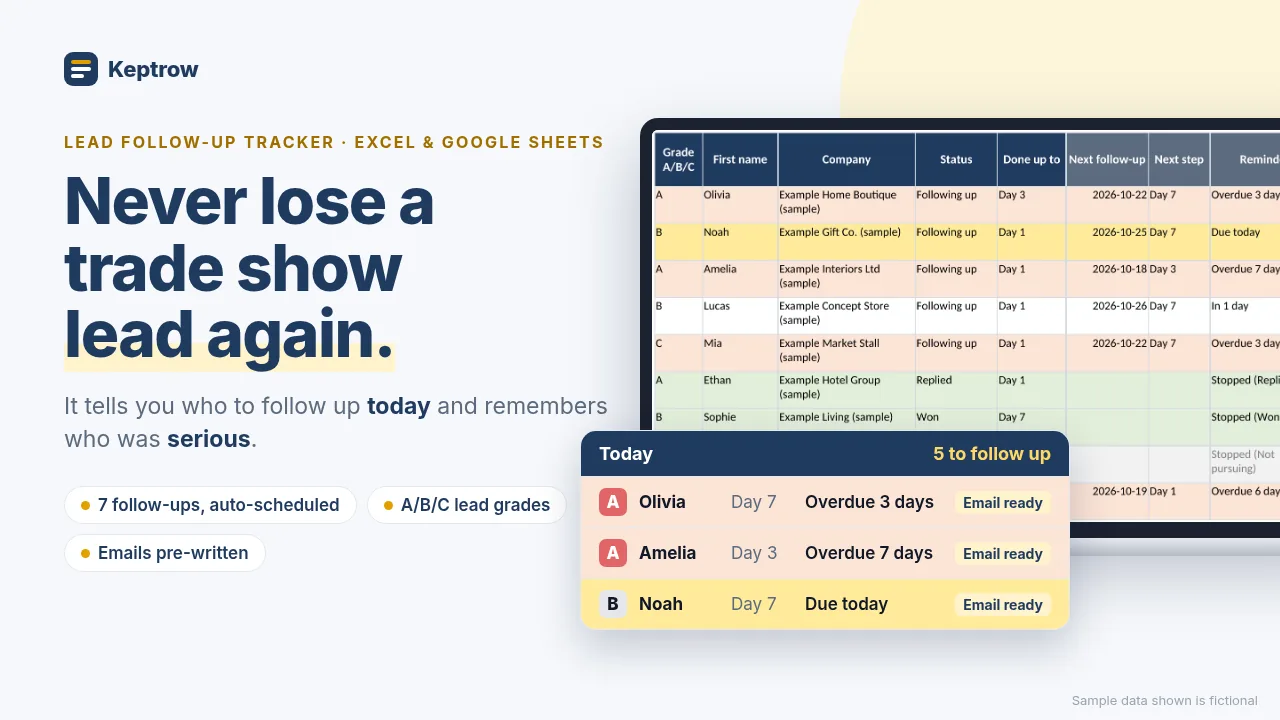
Never lose a trade show lead again
You come home from the show with a stack of business cards. A week later, nobody remembers who was serious, and half the follow-ups never went out.
This tracker fixes that. Type one row per card. It works out when each lead is due, shows you who to follow up today, and keeps track of who was serious with simple A/B/C grades.
How it works
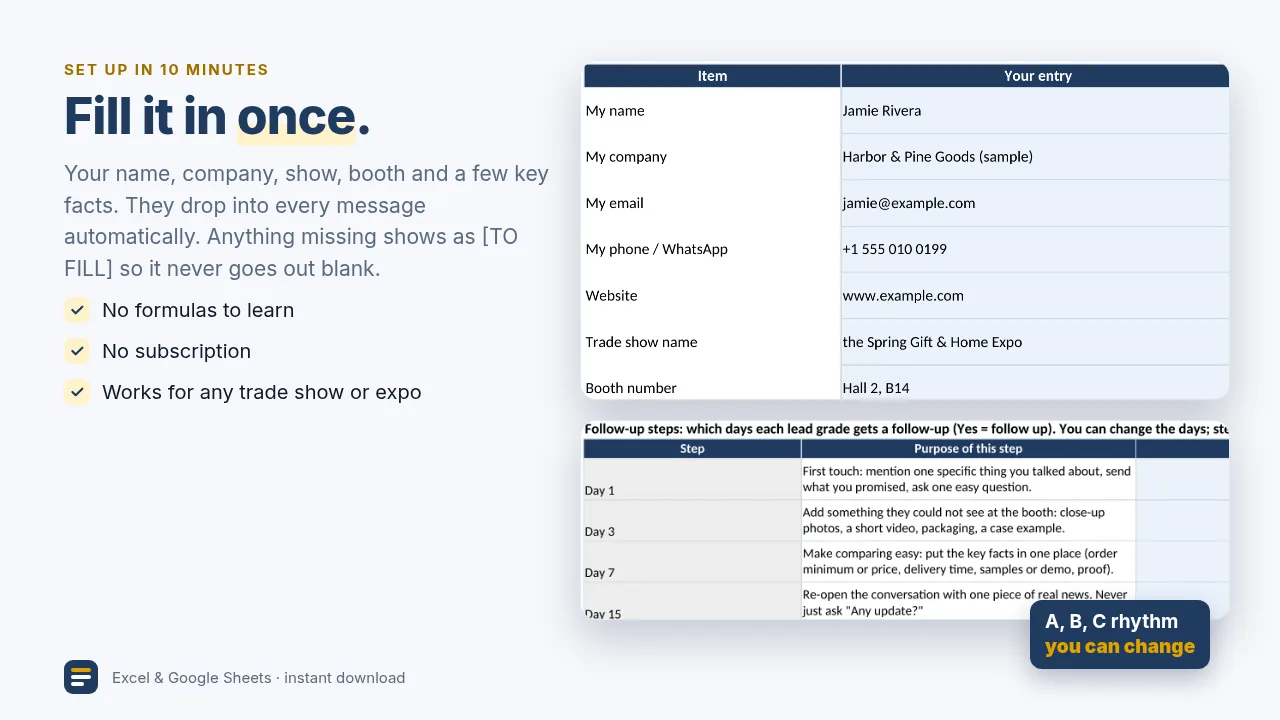
- Settings: fill in your name, company, show and a few key facts. Once.
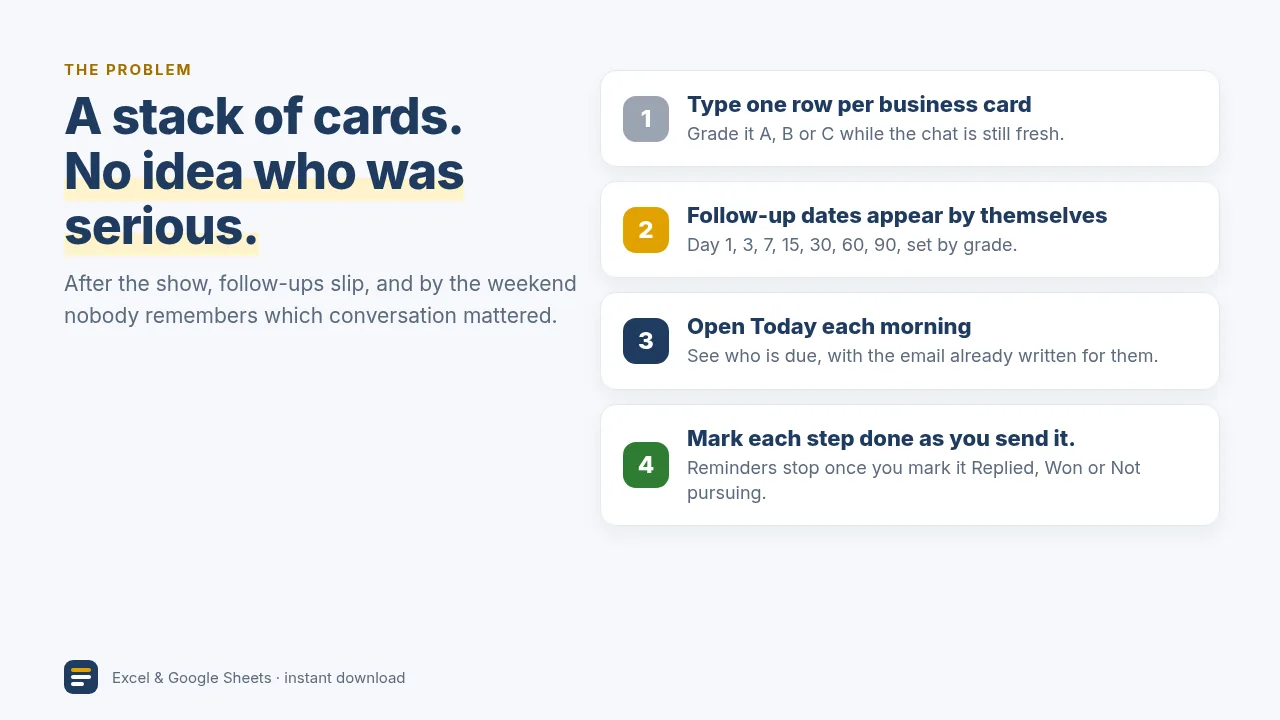
- Leads: one row per business card. Grade it A, B or C and add one line about your conversation.
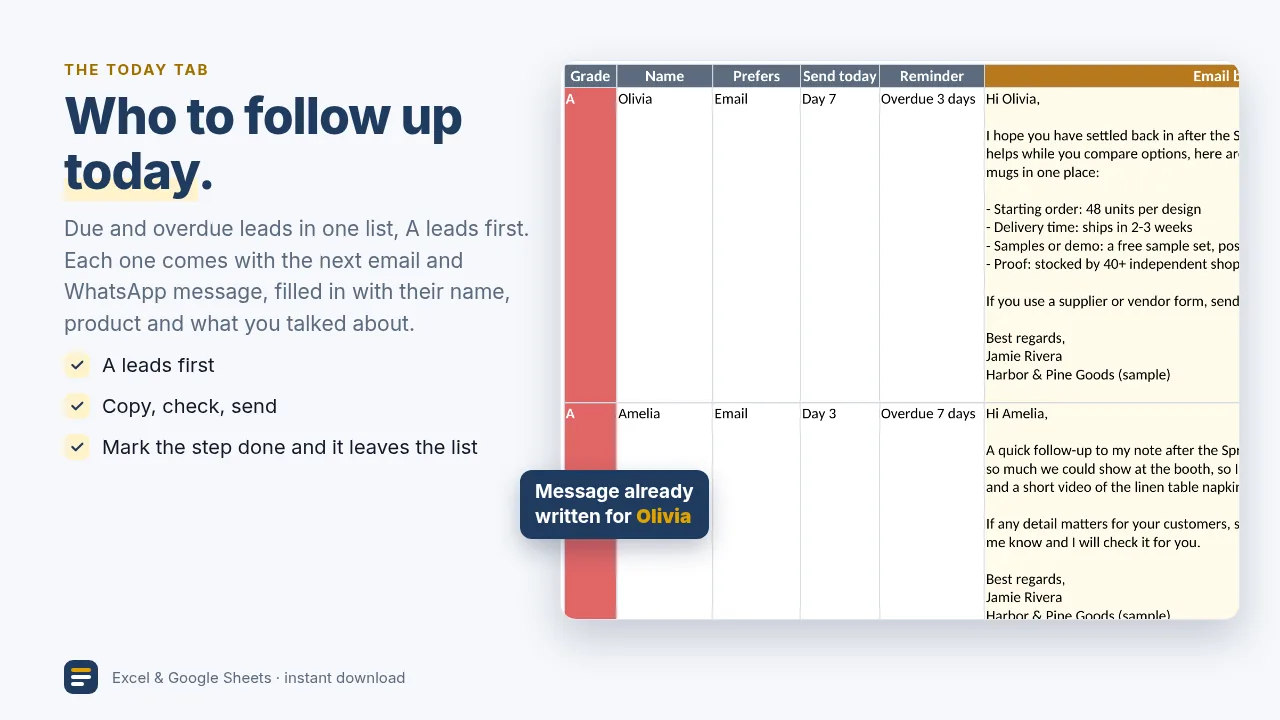
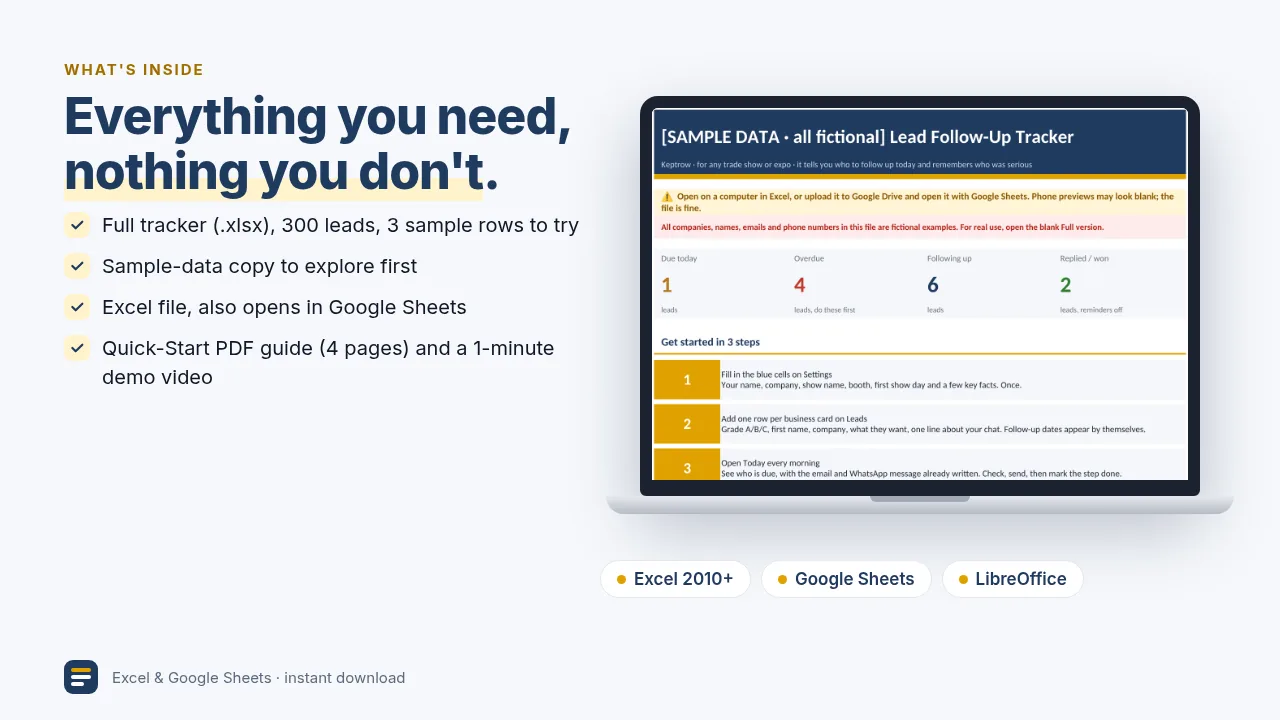
- Today: open it every morning. Due and overdue leads are listed, A leads first. Check, send, mark the step done.
Why it's different from a plain lead list
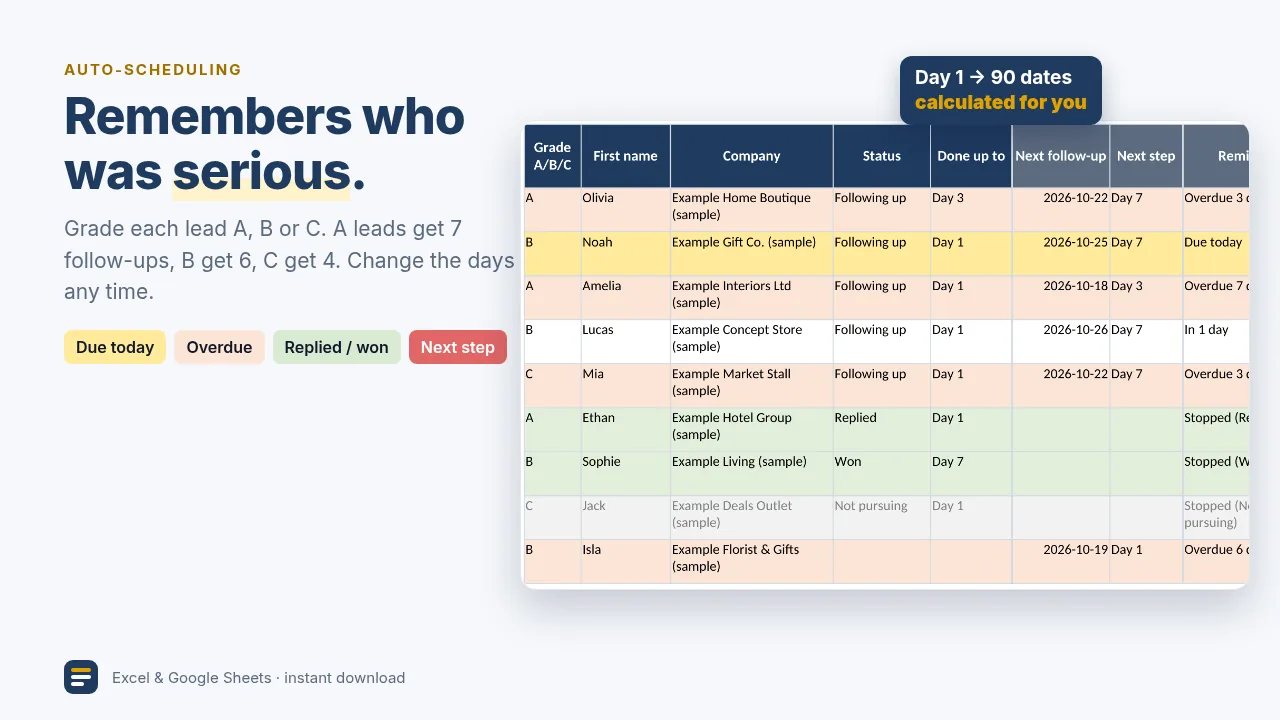
- Follow-up dates are calculated for you: Day 1, 3, 7, 15, 30, 60 and 90.
- A leads get 7 follow-ups, B get 6, C get 4. Change the days any time.
- Reminders stop once you mark a lead Replied, Won or Not pursuing.
- Color coded: yellow = due today, light red = overdue, green = replied or won.
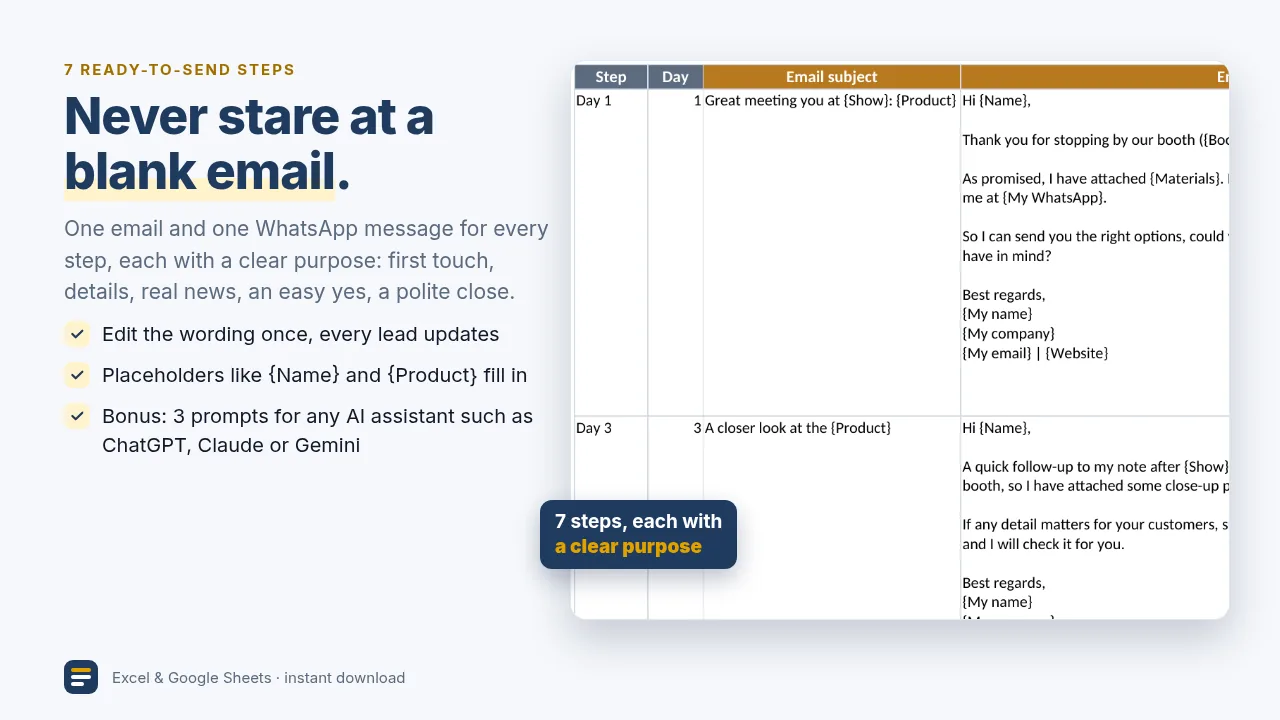
Plus: the next message is already written
Each lead's next email and WhatsApp message is filled in with their name, product and what you talked about. Edit the 7 templates once and every lead updates. There are also 3 prompts you can paste into any AI assistant such as ChatGPT, Claude or Gemini to turn your booth notes into a more personal first email.
Works for any trade show or expo, in any industry: product makers, wholesalers, service businesses and exporters.
A look inside
Sample data shown is fictional.
What's inside
- Lead Follow-Up Tracker, Full version (.xlsx): 300 leads, 7 follow-up steps, Today list, Preview tab, AI prompts. 3 fictional sample leads are pre-filled so you can see it working (delete them in one step).
- Sample-data copy with 9 fictional leads to explore first
- Works in Google Sheets: upload the .xlsx to Google Drive and open it with Google Sheets (step-by-step on page 1 of the guide)
- Quick-Start Guide (PDF, 4 pages)
- 1-minute demo video
Works with: Microsoft Excel (Windows or Mac), Google Sheets, LibreOffice Calc. A computer is recommended.
It doesn't send anything for you. Every message is a draft you check and send yourself from your own email or WhatsApp.
Free vs full
| Free (Lite) | Full ($12) | |
|---|---|---|
| Leads | 5 | 300 |
| Follow-up steps | 2 (Day 1 and Day 7) | 7 (Day 1/3/7/15/30/60/90) |
| Today list and pre-written messages | Yes | Yes |
| Preview tab, AI prompts | No | Yes |
| Quick-Start PDF and demo video | No | Yes |
Checkout and download are handled by Gumroad.
FAQ
Do I need to know formulas?
No. Fill in the blue cells and type one row per business card. Everything else calculates itself.
Does it send emails for me?
No. It tells you who to follow up with today and drafts the email and WhatsApp message. You check it, copy it, and send it yourself.
How many contacts does it hold?
300 in the Full version.
Can I change the follow-up schedule?
Yes. On the Settings tab, switch a step on or off for each lead grade (A/B/C), or change the number of days.
Can I use it for my whole team?
Yes, within one company. Please don't resell or share it outside your company.
Is there a free version?
Yes: 5 contacts with the Day 1 and Day 7 steps.
Help
Questions? Email keptrow@proton.me. We usually reply within 2 business days.
New to following up? Read the free guides: How to follow up after a trade show and How to follow up after sending a quotation.
ChatGPT, Claude and Gemini are trademarks of their respective owners; Keptrow is not affiliated with them.